

Supported software
Install the plugin
1
Install the server plugins
Download Signs from GitHub and place it in the Paper server template’s
plugins/ folder. Standard SimpleCloud templates already include simplecloud-api; add it through the target’s Plugins setting or the CLI if you use a custom template.2
Generate the layouts
Start a matching server. The plugin creates its default layouts under
plugins/simplecloud-signs/layouts/.3
Register a sign
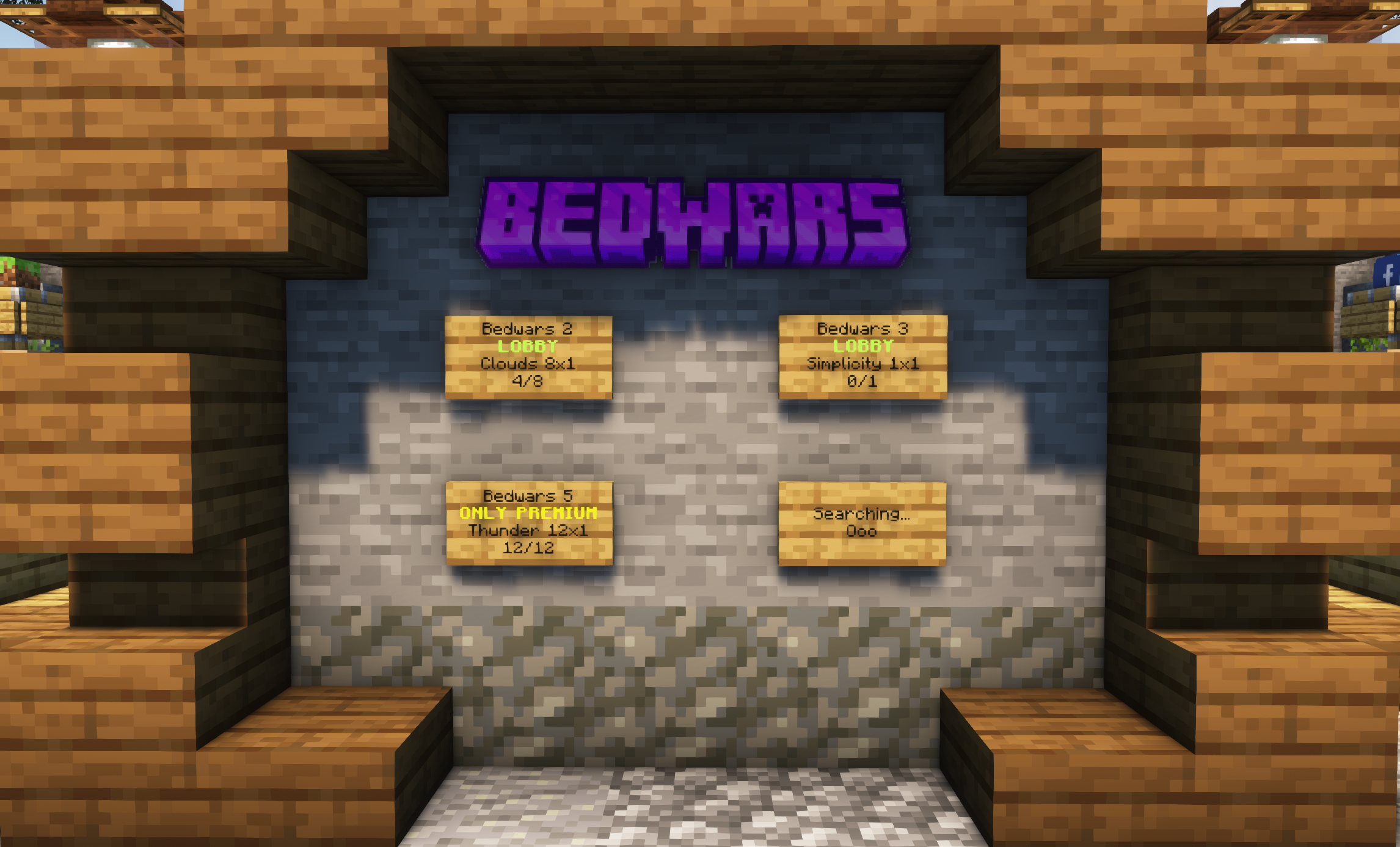
Place a sign, look directly at it, and run one of these commands:Use the first form for a server group and the second for a persistent server.
4
Test the sign
Wait for the sign text to update, then click it. A group sign sends the player to the server currently assigned to that sign. A persistent-server sign sends the player to that persistent server when it is available.
Commands
The command is available as/simplecloudsign, /simplecloudsigns, /scsigns, /scsign, /cloudsigns, /cloudsign, /signs, and /sign.
You must look at the sign block you want to add or remove. The command checks
up to 8 blocks away.
Permissions
Layouts
Layouts define what a sign displays for a matching server state. The plugin ships layouts forSTARTING, OFFLINE, MAINTENANCE, FULL, EMPTY, and ONLINE. Restart the server after editing a layout because the plugin reads layout files during startup.
Placeholders
Use MiniMessage placeholder syntax inside layout lines.Server name patterns
TheserverName field supports these replacement tokens:
Troubleshooting
The add or remove command cannot find the sign
The add or remove command cannot find the sign
Look directly at the sign and stand within eight blocks of it before running the command.
The sign stays offline
The sign stays offline
Confirm that its target exists. A group sign also needs an eligible running server; a persistent-server sign needs that server to be active and registered on the proxy.
A layout change does not appear
A layout change does not appear
Restart the server after editing a layout. The plugin reads layout files during startup.